DepthSculpt Forge
A desktop tool for creating controlled depth maps directly from GLB and STL geometry for laser engraving, CNC machining and relief work.
Download ReliefSculpt Forge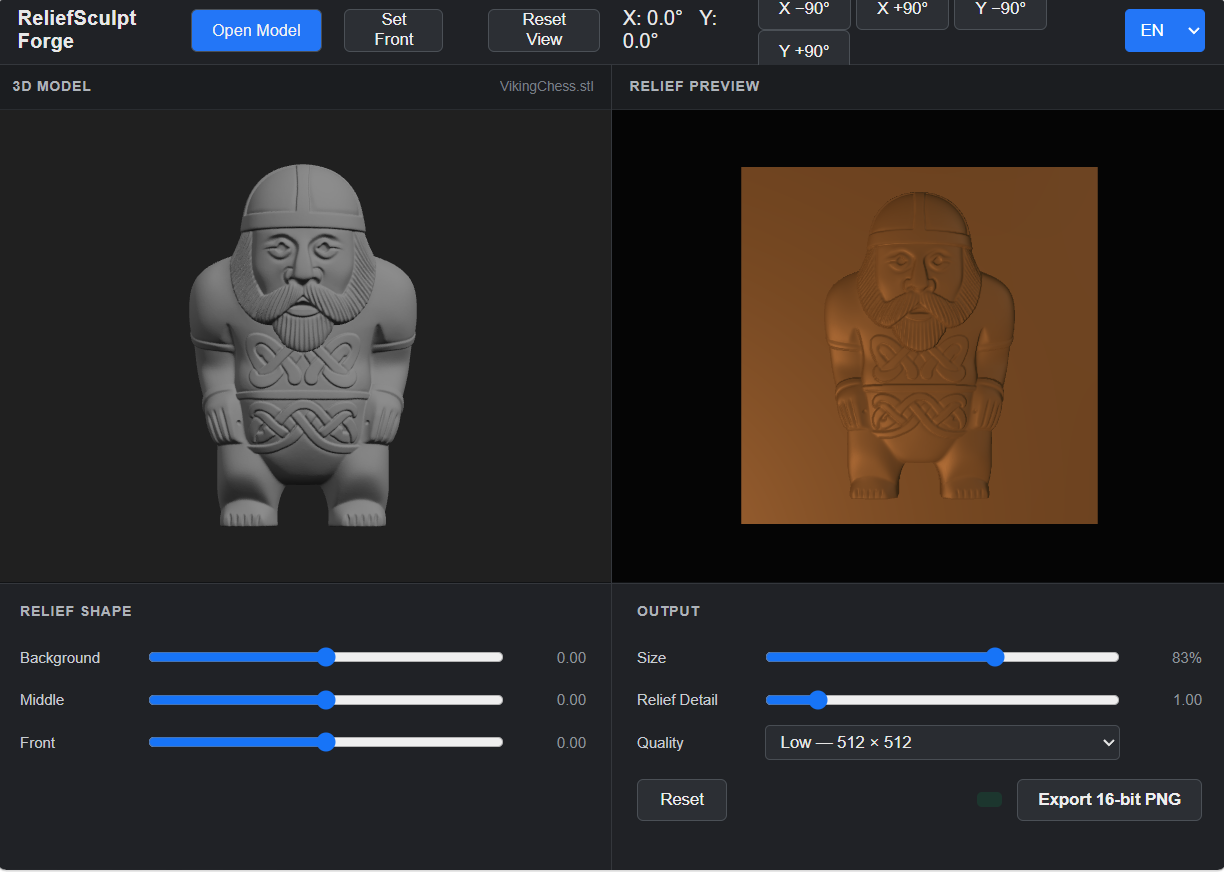
The actual ReliefSculpt Forge interface — 3D model and relief preview side by side.
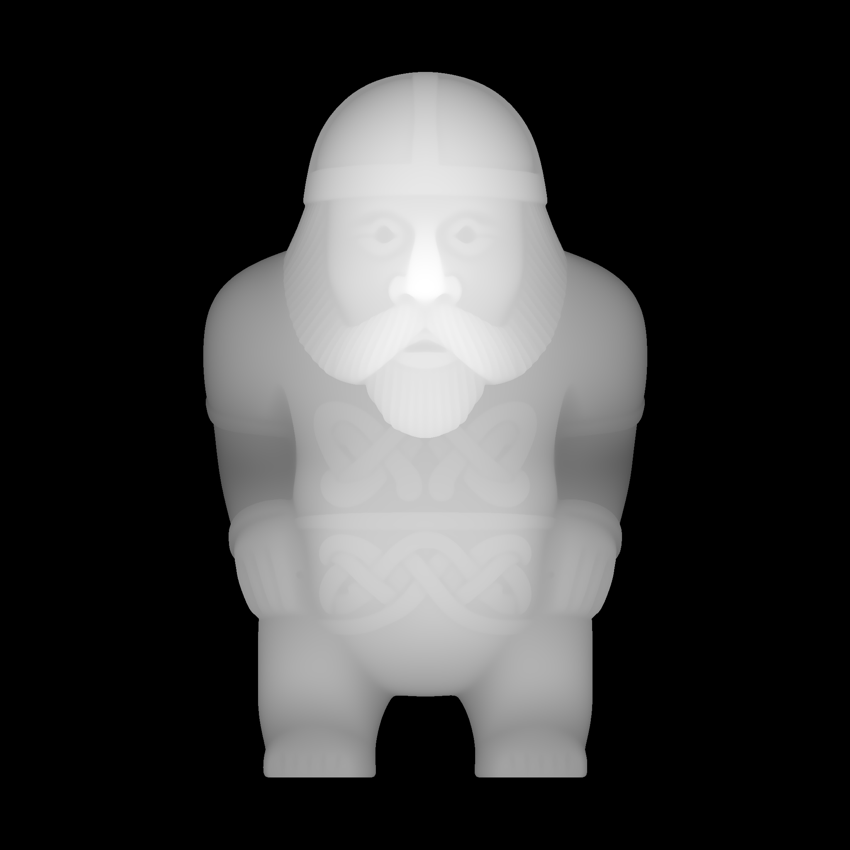
From 3D geometry to a 16-bit depth map.
This depth map was exported directly from ReliefSculpt Forge using the same 3D model shown above.
Brighter values represent geometry closer to the front of the relief, while darker values represent greater depth.
Why start from a 3D model?
A photograph contains visual clues about depth. A 3D model contains actual geometry.
Starting from a 2D image
Depth has to be estimated from lighting, perspective, texture and other visual information in the image.
Starting from 3D geometry
The shape already exists. DepthSculpt Forge uses that geometry to build a controlled grayscale representation of the model's depth.
A different depth map workflow
Start with geometry, choose the view you want and shape the depth map before exporting it.
Built for relief work
The controls are focused on preparing usable depth information rather than general-purpose 3D editing.
GLB & STL
Work directly with common 3D model formats.
Live 3D Preview
Inspect the model and the resulting relief while adjusting your depth map.
Set Front
Choose exactly which model orientation becomes the front of the relief.
Relief Detail
Control how strongly depth differences are represented.
Depth Zones
Shape background, middle and front regions independently.
16-bit PNG
Export grayscale depth maps with more tonal information than standard 8-bit images.
Don't have a 3D model yet?
DepthSculpt Forge works with existing GLB and STL models. If you're starting from an image, AI 3D generation tools can be used as an earlier step in the workflow.
We use Meshy as one option for turning reference images into 3D models before bringing them into ReliefSculpt Forge.
Create a 3D Model with Meshy →Some external links on this site may be affiliate links. If you purchase through one of those links, Depth Maps Club may receive a commission at no additional cost to you.
DepthSculpt Forge is in development.
We're currently testing and refining the desktop version with real 3D models and depth-map workflows.
More information, examples and access details will be published here as the release gets closer.