DepthTune Forge
A desktop workspace for refining, sculpting and preparing depth maps for laser engraving, CNC machining and relief work.
Download DepthTune Forge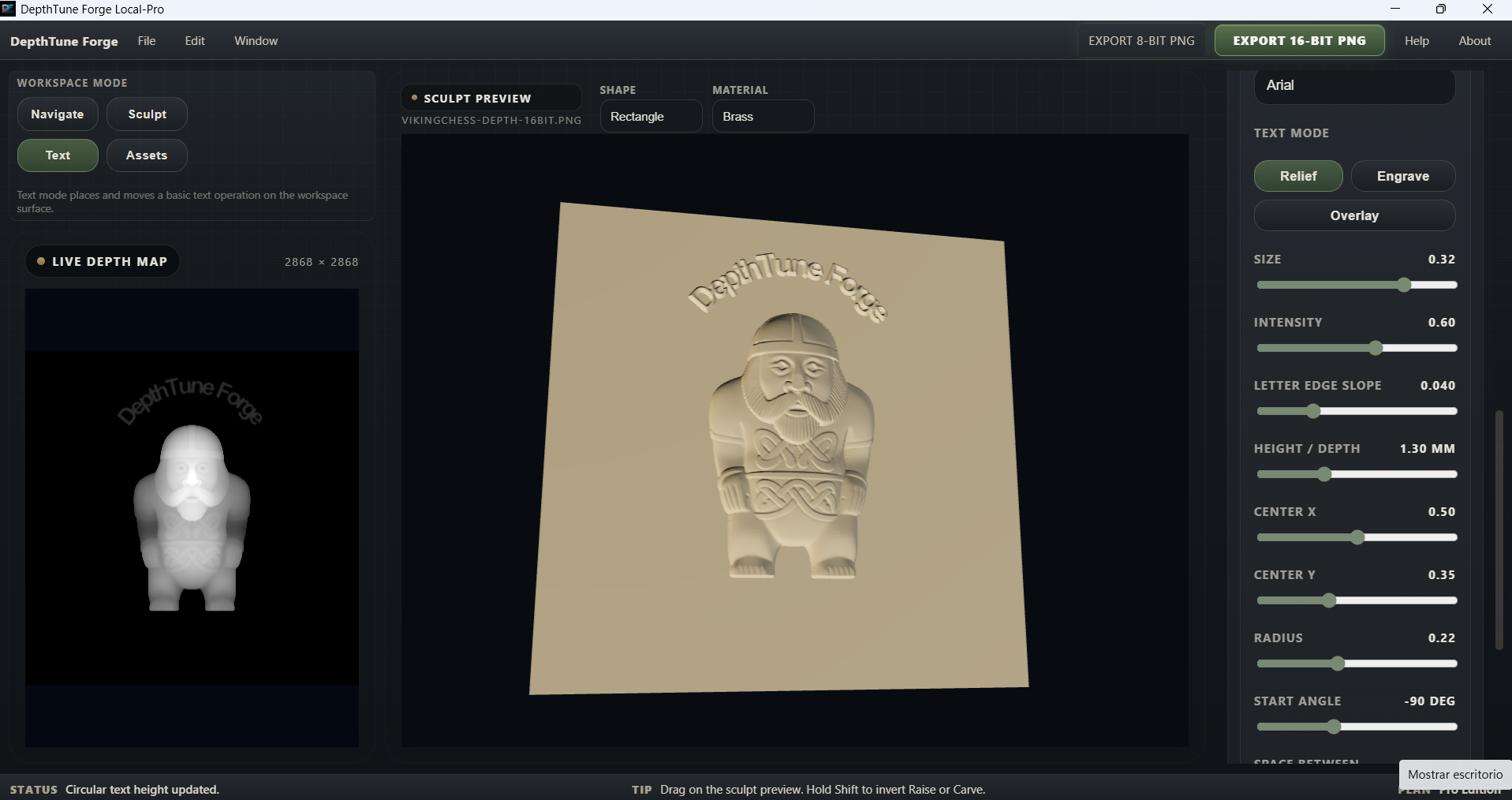
The actual DepthTune Forge workspace — depth map, live 3D relief preview and editing controls in one view.
See the depth map as a surface, not just an image.
DepthTune Forge keeps the depth map and its live 3D relief representation visible while you work, making it easier to understand how grayscale changes affect the actual surface.
Inspect the relief
View the depth information as a real 3D surface instead of relying only on the appearance of the grayscale image.
Edit with context
Sculpt, add text and work with depth elements while seeing their effect directly on the relief preview before export.
A depth map can still need work.
Generating a depth map is only part of the process. Before it reaches the machine, the surface may still need cleanup, correction and better control.
Raw depth map
The depth information may already exist, but transitions, local areas, clipping or surface behavior can still need refinement before production.
DepthTune Forge
Work directly on the depth map, inspect the relief in 3D, sculpt local areas and prepare the surface with fabrication in mind rather than treating it as a normal grayscale image.
Refine the depth map before production
DepthTune Forge gives you a workspace to inspect, correct and prepare depth information before it reaches your laser or CNC workflow.
Tools built around relief behavior
DepthTune Forge focuses on what the surface will do in relief, not just how the grayscale image looks on screen.
Live 3D Preview
Inspect the depth map as a relief while you work.
Sculpt Tools
Make local surface corrections directly where the relief needs them.
Relief Cleanup
Correct problem areas and improve the usable depth range before export.
Text Tools
Add basic and circular text as part of the depth-map workflow.
Depth Assets
Combine additional relief elements with the working depth map.
16-bit PNG Export
Export high-bit-depth grayscale maps for production workflows.
Starting from a 3D model?
ReliefSculpt Forge can convert GLB and STL geometry into a controlled 16-bit depth map before you bring that map into DepthTune Forge for further refinement.
The two tools are designed to work as complementary parts of the same relief workflow.
Explore ReliefSculpt Forge →DepthTune Forge is available now.
DepthTune Forge is distributed as a Windows desktop application and uses your authorized email to validate access.
Access is included with an active Patreon All Access membership. Use the same email associated with your authorized access when activating the application.